 +1-530-388-5507
 +91 91633 67905

Why Arobit Supports Verified .IN Domains: Building Trust in India�s Digital Space
Knowledge Base
A
Amit De
A production planning and MRP module in ERP gives manufacturers one connected view of materials, machines, and schedules. Production stays on time, without last-minute firefighting on the shop floor. Arobit builds this module around how your plant actually runs, not a generic scheduling template.
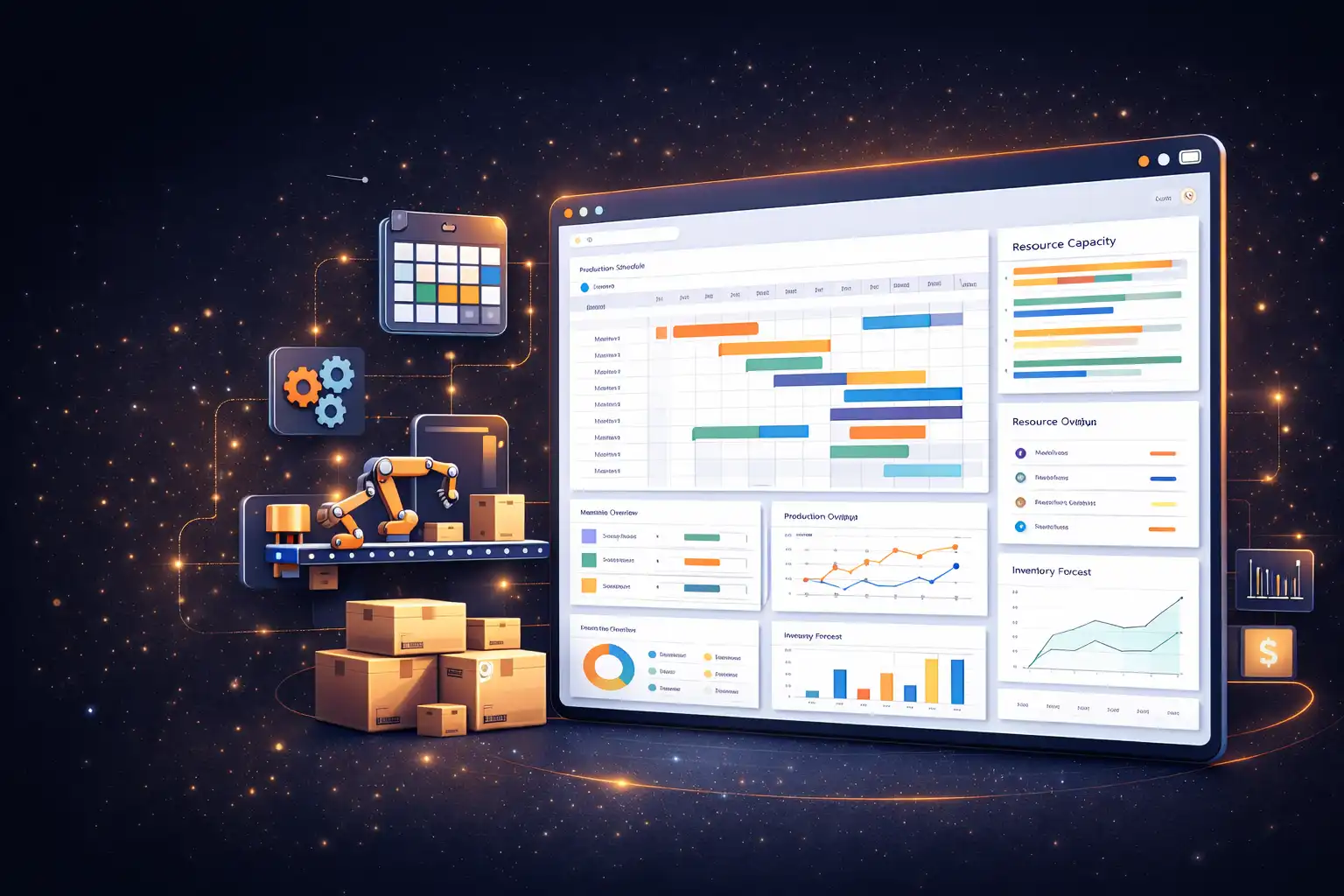
Without a structured production planning module, manufacturing and operations teams schedule reactively instead of proactively.
Spreadsheet-based planning rarely accounts for actual machine, tooling, or labor availability, so committed delivery dates slip before the job even starts.
Without MRP tied to the schedule, purchasing reacts to shortages instead of preventing them, and production waits on components that should have already arrived.
Paper travelers and disconnected spreadsheets mean nobody knows a job's real status until someone walks the floor to check.
Coordinating schedules across more than one line or plant in spreadsheets becomes unreliable well before it becomes unmanageable.
Fragmented production tracking makes it harder to catch a bottleneck before it cascades into a missed shipment. A structured production ERP module keeps schedule and transaction history traceable by default.
A dedicated ERP production planning module gives your team one place to see what needs to be built, on which line, and by when. Nobody has to wait on a status meeting or a walk around the shop floor to find out. Arobit builds this module directly into your ERP system. The production schedule then stays connected to procurement, sales orders, and financial reporting, instead of sitting in a separate spreadsheet.
Inside your ERP, the module explodes bills of materials against demand and schedules jobs against real machine and labor capacity. Work-order status updates the moment something changes on the floor.
Manufacturers report production-output gains of 10% to 20% after implementing connected planning and scheduling systems, alongside 10% to 15% in unlocked capacity.
Deloitte, 2026 Manufacturing Industry Outlook
For a deeper look at how these functions compound to cut lead time, see our guide on reducing lead time with structured production scheduling.
For manufacturers running multiple lines or a high mix of make-to-order jobs, that connection matters. It is often what separates a schedule that holds from one that unravels by Wednesday.
Explodes bills of materials against demand and on-hand stock, raising purchase and production suggestions before a shortage stalls the line.
Plan what to build, how much, and by when, synced directly to sales orders and demand forecasts.
Schedule jobs against real machine, tooling, and labor capacity instead of an idealized calendar that ignores conflicts.
Routing, real-time job status, and linked materials on every work order, from release through to completion.
Version-controlled bills of materials and operation routings that stay in sync as products and processes change.
Live status from the floor, actual versus planned, so a delay in one operation is visible before it cascades.
Recalculate the schedule the moment a machine goes down, a material is late, or a rush order lands.
OEE, downtime, WIP aging, and schedule-adherence reports without exporting anything to Excel.
Automate scheduling decisions, track work orders across every line, and generate accurate production reports through an integrated ERP system.
Talk to Our Experts| Factor | Production Planning ERP Module | Standalone Scheduling Software |
|---|---|---|
| Data flow | Connects automatically with procurement, sales, and finance | Needs separate integration work |
| Cost over time | One system to license and maintain | Multiple licenses plus integration costs |
| Reporting | Combined view across departments | Schedule data isolated from other reports |
| Scalability | Grows alongside your other ERP modules | Limited by what the standalone tool supports |
Coordinate machine and labor scheduling with BOM-driven work orders across multiple product lines.
Plan batch runs and changeovers against continuous-flow capacity constraints without stalling the line.
Schedule cutting, stitching, and finishing lines across multiple factories from one connected plan.
Schedule batch production with genealogy tracking and compliance-ready production records.
Sequence one-off and small-batch jobs against shared machine capacity without disrupting committed orders.
The production planning module doesn't work on its own. Once it's part of your ERP, schedule data flows automatically into the systems your team already relies on.
MRP-generated shortages trigger purchase orders automatically
Realistic delivery-date promising, based on the actual production schedule
Material issue and finished-goods receipt sync with the schedule automatically
Work-in-progress and production costing update without manual entry
Implemented production scheduling and line-wise tracking across 3 units and 50+ sewing lines for an apparel manufacturer. The operation manages 25,000+ garments a day with full production traceability. Real-time, line-wise efficiency dashboards helped cut defect rates by 22%.
Built a coordinated production planning system across three factories for a garment manufacturer, giving real-time visibility into work-in-progress and line-level bottlenecks. The result was faster corrective action on underperforming lines and improved adherence to committed delivery timelines.
We review how your team currently schedules production and identify where the plan breaks down against real capacity.
We define BOM structure, routing rules, scheduling logic, and reporting needs specific to your operation.
The module is built and connected to your procurement, sales, and finance systems.
Your team is onboarded, and the system is supported after go-live.
Most production planning modules are ready for a first version within 3 to 5 months. Timing depends on the number of lines or factories, integrations, and scheduling rules involved.
Yes. The ERP production planning module is built to integrate with accounting platforms, CRM systems, and shop-floor tools your business already uses. Schedule data then stays consistent across every system.
Not always. If your existing ERP supports modular additions, we can build and integrate the production planning module directly into it. If not, we'll walk you through your options during the consultation.
Cost depends on the number of lines or factories, the complexity of your scheduling and MRP rules, and which systems it needs to integrate with. We provide an estimate after reviewing your requirements.
Yes. The module supports forecast-driven scheduling for make-to-stock runs and job-specific sequencing for make-to-order work, often on the same shop floor.
Yes, and it's included. We provide onboarding sessions so your team is comfortable with the system before and after go-live.
Yes. Multi-line and multi-factory scheduling is a standard part of the module, with a single connected plan across every site.
Existing BOMs, routings, and open work orders can be migrated during implementation, so your current production plan carries over instead of starting from zero.
In most cases, yes. We review your current shop-floor hardware during the requirement mapping phase and build compatibility into the module where possible.
Yes. Schedule changes, work-order history, and material consumption are logged automatically, so reports are ready to produce without manual reconstruction.
Every plant schedules production differently. Talk to our team about building a production scheduling system in ERP that fits how your operation actually runs, not a generic template.
We don't simply say that we have a top-tier clientele, we mean it. Take a look at some of the top brands, social communities, and app stores, we have worked for.




































































Stay on top of the latest trends and industry developments with our insightful blogs.