 +1-530-388-5507
 +91 91633 67905


Why Arobit Supports Verified .IN Domains: Building Trust in India�s Digital Space
Knowledge Base
A
Amit De
An order management module in ERP captures every order from every channel and routes it through fulfillment with stock, credit, and shipping checks running automatically. Customers get accurate delivery dates, and operations teams stop firefighting split shipments and backorders. Arobit builds this module around how your order flow actually runs, not a generic template.
Without a structured order management module, fulfillment teams work from order books and shipping sheets that are already out of date.
Orders from marketplaces, EDI feeds, web stores, and manual entry land in separate inboxes. Rekeying creates errors in SKU, quantity, and shipping address.
Without live reservation at the order capture stage, two reps can commit the same unit to different customers. Backorders then surface only when picking fails.
When one order needs stock from two warehouses, teams coordinate over calls and spreadsheets. Partial dispatches and billing errors follow.
Carrier tracking lives on third-party portals, disconnected from the order record. Customer support fields "where is my order" calls without the data to answer.
RMA requests tracked over email leave stock and finance out of sync. A structured ERP order management module keeps every order action traceable by default.
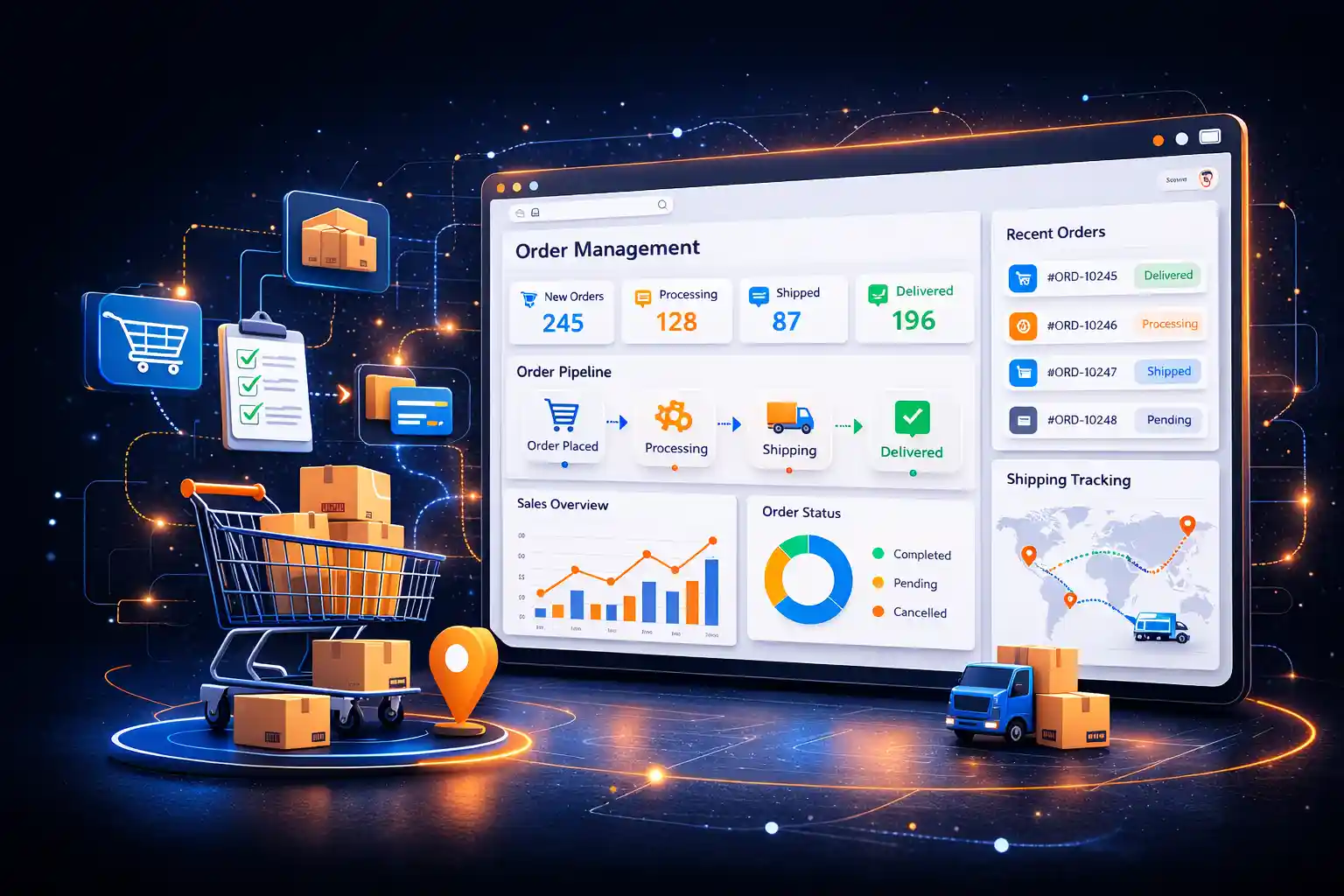
A dedicated order management module inside your ERP system gives your fulfillment team one live view of every order. Allocation state, shipping status, and open exceptions all show on the same screen. Nobody has to switch between a marketplace dashboard, a shipping portal, and a spreadsheet. Arobit builds this module directly into your ERP. Order activity then stays connected to inventory, warehouse, finance, and customer service, instead of sitting in a separate OMS.
Inside your ERP, the module captures orders from every channel and validates stock and credit on the spot. Allocation picks the right warehouse, and picking, packing, and shipment trigger the moment the order is confirmed. Returns and exceptions post back to inventory and finance automatically.
McKinsey reports that automating order processing can cut the cycle from two or three days to one or two hours. The window measured is from confirmed order to confirmed delivery.
McKinsey & Company, Sales Automation: The Key to Boosting Revenue and Reducing Costs
For businesses running omnichannel sales, large distributor networks, or complex make-to-order flows, that connection matters. It often separates a reliable delivery promise from a chain of status escalations.
Most order management modules cover similar ground on paper. What actually matters is how tightly each one connects to the rest of your ERP.
Pull orders from marketplaces, web stores, EDI, phone, and manual entry into one order record, with each channel's rules applied automatically.
Validate SKU, pricing, shipping address, credit limit, and stock availability the moment the order lands, before it enters the fulfillment queue.
Reserve stock against the right warehouse using available-to-promise and capable-to-promise logic, with real delivery dates returned to the customer.
Split orders across warehouses or ship complete based on configured rules, with partial dispatch and invoicing handled inside the same record.
Trigger picking lists, packing instructions, and dispatch confirmations from the order record, with every step logged against the original order.
Connect to logistics partners for label generation, pickup scheduling, and live tracking, with status visible on every order record.
Capture return requests, issue RMAs, and sync stock and credit notes back to inventory and finance without duplicate entry.
Generate order book, fulfillment cycle, dispatch, and exception reports without exporting anything to Excel.
Automate capture-to-dispatch workflows, track every shipment, and generate accurate fulfillment reports through an integrated order processing module in ERP.
Talk to Our Experts| Factor | Order Management ERP Module | Standalone OMS Software |
|---|---|---|
| Data flow | Connects automatically with inventory, warehouse, and finance | Needs separate integration work |
| Cost over time | One system to license and maintain | Multiple licenses plus integration costs |
| Reporting | Combined view across departments | Order data isolated from operational reports |
| Scalability | Grows alongside your other ERP modules | Limited by what the standalone tool supports |
Convert make-to-order and configure-to-order jobs into production work orders with promised dates based on live capacity.
Handle high order volumes with multi-warehouse allocation, backorder control, and route-based dispatch.
Route online, store, and marketplace orders through the right warehouse or store location, with ship-from-store and pickup options.
Pull orders from every storefront and marketplace into one record, with carrier labels and tracking visible to every team.
Manage inbound and outbound orders across client warehouses, with SLA tracking and client-level reporting.
The order management module doesn't work on its own. Once it's part of your ERP, order data flows automatically into the systems your team already relies on.
Stock reservations, picking lists, and dispatch confirmations sync in real time with the warehouse
Invoices, credit notes, and returns post to the ledger the moment they are triggered
Backorders raise purchase or production suggestions automatically, so demand gets covered
Shipping labels, pickup schedules, and tracking updates flow between the order record and your logistics partners
Built end-to-end order processing and inventory monitoring for an FMCG retailer, routing online and in-store orders across sites. The system delivered 30% efficiency in order processing and cut stockouts by 25% through real-time inventory visibility.
Built bundle-tracking, packing, and dispatch workflows for a leather manufacturer managing 12,000+ SKUs a month. The system gave end-to-end traceability from raw material inward checks through to export dispatch.
We review how your team currently captures and fulfills orders, and identify where the gaps and manual steps sit.
We define capture channels, allocation rules, split-shipment logic, and reporting needs specific to your operation.
The module is built and connected to your inventory, warehouse, finance, and logistics systems.
Your team is onboarded, and the system is supported after go-live.
A standalone OMS handles orders on its own. This module keeps the same workflows connected to inventory, warehouse, finance, and procurement, so there's no separate system to reconcile.
Yes. Marketplace, web store, EDI, phone, and manual orders all land in one order record, with each channel's rules applied automatically.
Not always. If your existing ERP supports modular additions, the order management module can be built and integrated directly into it. If not, we'll walk you through your options during the consultation.
Cost depends on the number of channels, warehouses, and the complexity of your allocation and returns logic. We provide an estimate after reviewing your requirements.
Yes. Split-shipment and ship-complete rules are configured per customer, product, or channel, with partial dispatch and invoicing handled inside the same order.
Yes, and it's included. We provide onboarding sessions so your team is comfortable with the system before and after go-live.
Yes. Carrier integrations cover label generation, pickup scheduling, and live tracking. Supported carriers are reviewed during the requirement mapping phase.
Open orders, customer master data, shipping rules, and return history can be migrated during implementation. Your current pipeline carries over instead of starting from zero.
Yes. Every capture, allocation, dispatch, and return is logged automatically, so reports are ready to produce without manual reconstruction.
Yes. Return approval limits, credit-note authorizations, and allocation overrides are configured during implementation and audited through the system.
Every business fulfills orders differently. Talk to our team about building an order processing system in ERP that fits how your operation actually runs, not a generic template.
We don't simply say that we have a top-tier clientele, we mean it. Take a look at some of the top brands, social communities, and app stores, we have worked for.

































































Stay on top of the latest trends and industry developments with our insightful blogs.