 +1-530-388-5507
 +91 91633 67905

Why Arobit Supports Verified .IN Domains: Building Trust in India�s Digital Space
Knowledge Base
A
Amit De
Track stock, cut waste, and keep inventory data connected to production, sales, and finance in one system built around how your business actually operates.
Without a structured inventory management module in ERP, warehouse and operations teams work reactively instead of proactively.
Disconnected tracking causes mismatches between recorded stock and physical inventory, leading to picking errors and delayed shipments.
Without automated thresholds, purchasing decisions rely on guesswork, resulting in stockouts or excess inventory tying up cash.
Manual updates mean the stock figures your team sees are rarely the figures that are true at that moment.
Tracking stock across more than one warehouse in spreadsheets becomes unreliable well before it becomes unmanageable.
Fragmented inventory tracking makes it harder to produce accurate, audit-ready stock records. A structured inventory management ERP module keeps transaction history traceable by default.
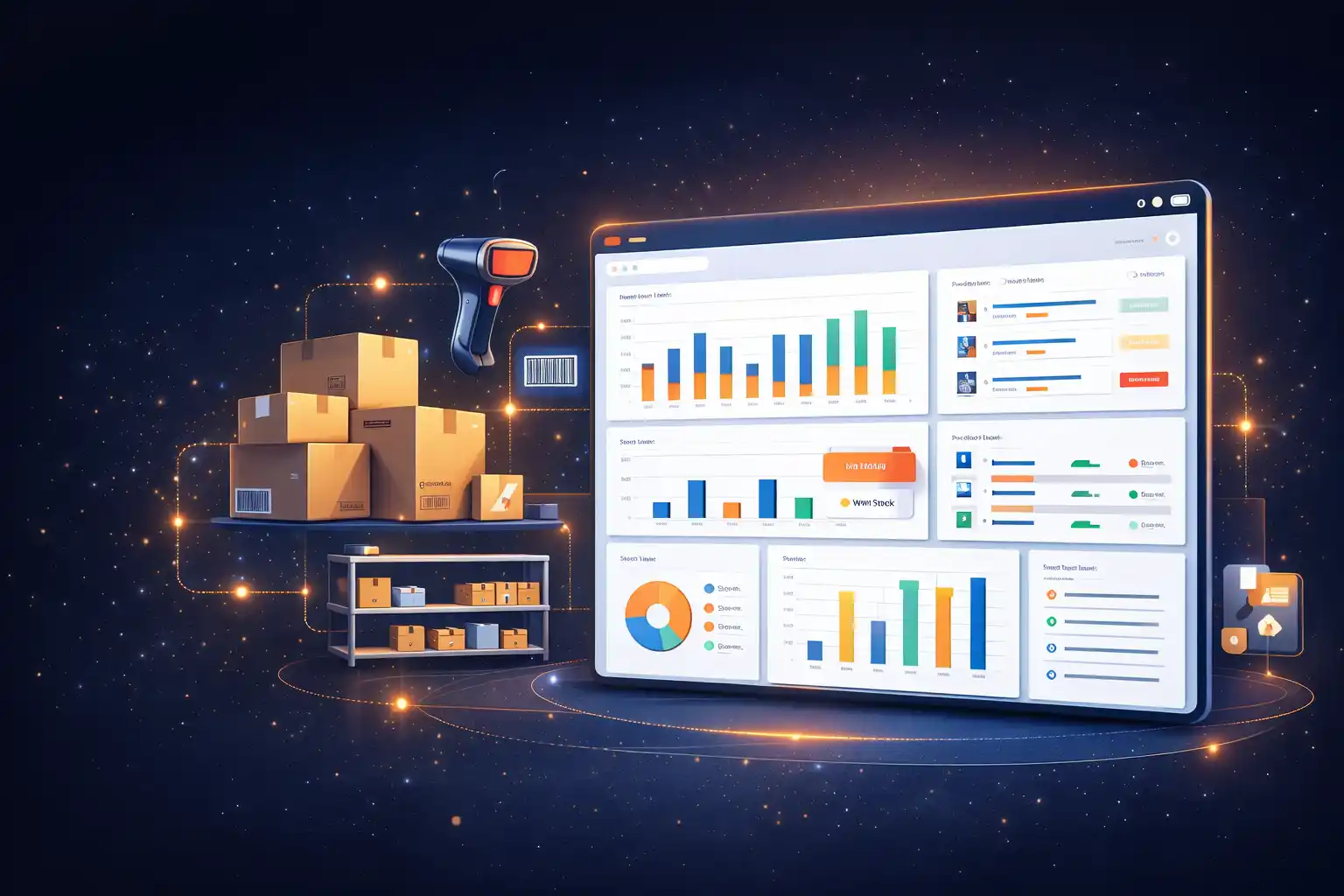
A dedicated inventory management module in ERP gives your team one place to see what's in stock, what's moving, and what needs reordering, without waiting on a spreadsheet or a phone call to the warehouse. Arobit builds this module directly into your ERP system, so inventory data stays connected to production planning, sales orders, and financial reporting instead of sitting in a separate tool.
Inside your ERP, the inventory module keeps a live record of stock levels across every location and updates that record the moment something moves — a sale, a production run, a transfer between warehouses.
For a deeper look at how each of these pieces works, see our guide to understanding the inventory module in ERP.
For manufacturing and distribution businesses managing multiple warehouses or a high number of SKUs, that connection is often what separates reacting to stockouts from preventing them.
See exact stock counts the moment a transaction happens, across every warehouse and sales channel.
Set minimum stock thresholds and let the system generate purchase orders before you run out.
Trace every unit back to its batch or serial number, useful for quality control and recalls.
Manage stock across multiple locations from a single dashboard.
Use past sales and seasonal patterns to plan purchasing and reduce overstock.
Scan items in and out to cut manual entry errors.
Track inventory value using FIFO, LIFO, or weighted average methods, synced with your finance module.
Generate stock aging, turnover, and reorder reports without exporting to Excel.
Automate reorder decisions, track stock across every location, and generate accurate inventory reports through an integrated ERP system.
Talk to Our Experts| Factor | Inventory Management ERP Module | Standalone Inventory Software |
|---|---|---|
| Data flow | Connects automatically with sales, finance, and production | Needs separate integration work |
| Cost over time | One system to license and maintain | Multiple licenses plus integration costs |
| Reporting | Combined view across departments | Inventory data isolated from other reports |
| Scalability | Grows alongside your other ERP modules | Limited by what the standalone tool supports |
Track raw material, work-in-progress, and finished goods stock alongside production schedules.
Maintain accurate stock counts across every store or outlet from one dashboard.
Coordinate warehouse stock with incoming and outgoing shipments in real time.
Track batch and expiry data for regulatory compliance and recall readiness.
Sync stock across online storefronts and physical locations to prevent overselling.
The inventory module doesn't work on its own. Once it's part of your ERP, stock data flows automatically into the systems your team already relies on.
Stock valuation updates your accounts without manual entry
Accurate available-to-promise stock counts prevent overselling
Reorder triggers create purchase orders automatically
Raw material and work-in-progress stock stays visible to the shop floor
Implemented a full-cycle ERP covering procurement, milling, packaging, inventory, and dispatch for a manufacturing plant in India, integrating production planning with inventory control to reduce wastage and improve batch traceability.
Built a centralized MIS portal for a mining corporation, combining live production tracking with inventory and dispatch dashboards for mine management leadership.
We review how your team currently tracks stock and identify the gaps that need automation.
We define stock rules, reorder logic, and reporting needs specific to your operation.
The module is built and connected to your finance, sales, and production systems.
Your team is onboarded, and the system is supported after launch.
Most inventory modules are ready for a first version within 3–5 months, depending on the number of warehouses, integrations, and reporting requirements involved.
Yes. The module is built to integrate with accounting platforms, CRM systems, and eCommerce tools your business already uses, so stock data stays consistent across every system.
Not always. If your existing ERP supports modular additions, we can build and integrate the inventory module directly into it. If not, we'll walk you through your options during the consultation.
Cost depends on the number of warehouses, the complexity of your reorder and forecasting rules, and which systems it needs to integrate with. We provide an estimate after reviewing your requirements.
Yes. Multi-warehouse and multi-location stock control is a standard part of the module, with stock visibility across every site from one dashboard.
Yes, and it's included. We provide onboarding sessions so your team is comfortable with the system before and after launch.
Yes. The module tracks stock at every stage, from incoming raw materials through work-in-progress to finished goods ready for dispatch.
Existing stock records can be migrated as part of implementation, so your current inventory counts carry over instead of starting from zero.
In most cases, yes. We review your current hardware during the requirement mapping phase and build compatibility into the module where possible.
Yes. Stock movement, batch history, and reorder activity are logged automatically, so reports are ready to produce without manual reconstruction.
Every business tracks inventory differently. Talk to our team about building an inventory management module in ERP that fits how your operation actually runs, not a generic template.
We don't simply say that we have a top-tier clientele, we mean it. Take a look at some of the top brands, social communities, and app stores, we have worked for.



































































Stay on top of the latest trends and industry developments with our insightful blogs.