 +1-530-388-5507
 +91 91633 67905
Documents are uploaded and stored in a centralized repository

Without a structured ERP document management system, businesses struggle with document control and accessibility.
Files stored in different locations lead to confusion and duplication.
Without proper tracking, managing document versions becomes complex.
Searching for files manually delays operations and decision-making
Sensitive documents may be accessed without proper restrictions.
Lack of documentation and traceability creates challenges during audits.
Documents are uploaded and stored in a centralized repository
Access permissions are assigned based on roles and responsibilities
Version control tracks changes and documents history
Documents are linked to workflows and business processes
Search and retrieval are optimized for quick access
Audit logs maintain traceability and compliance

Streamline service workflows, manage resources, and deliver consistent service experiences using an ERP service management module.
Talk to a Service ERP Specialist →
Store all business documents securely within the ERP document management module.
Define user roles and permissions to ensure secure document access.
Maintain document history and track changes efficiently.
Automate approvals, sharing, and document lifecycle processes.
Find documents quickly using structured search within the document management ERP system.
Enable teams to collaborate and share documents seamlessly.
Ensure documentation is audit-ready with proper tracking and records.
Manage technical documents, compliance records, and operational files.
Store patient records and regulatory documents securely.
Handle sensitive documents with strict access control and compliance.
Manage project documents, contracts, and internal records.
Scale operations with a structured ERP document management system.
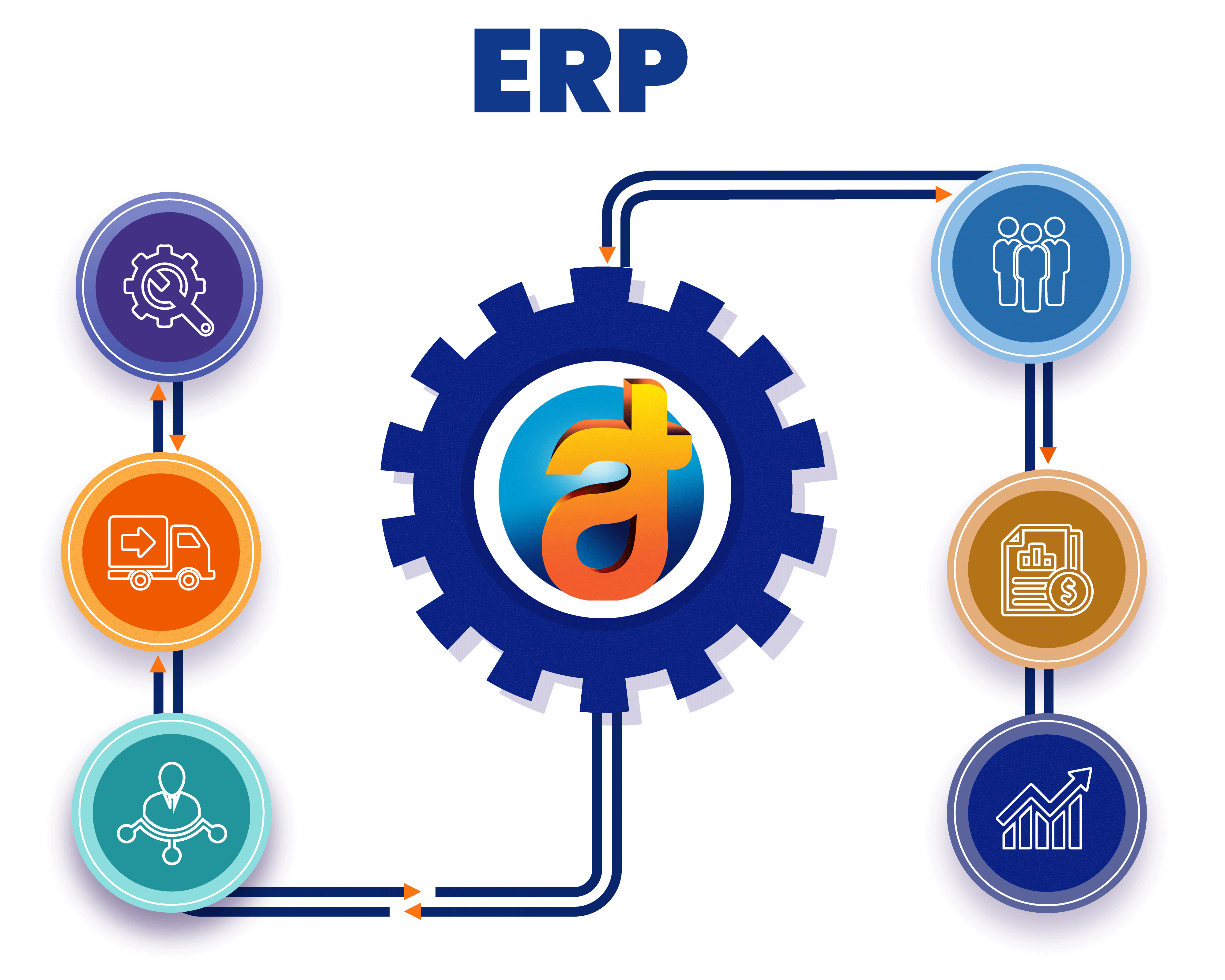
These integrations ensure the document management module in ERP works as part of a unified ERP ecosystem.

HR module for employee records and documentation
Finance module for invoices, bills, and financial documents
Project management module for project-related files
CRM module for customer documents and contracts
Compliance systems for regulatory documentation
This ensures organizations manage documents efficiently using a scalable ERP system.
Centralize document storage, improve accessibility, and ensure compliance with a unified ERP document management module.
It is a system that helps store, manage, and retrieve documents within a centralized platform.
ERP centralizes document storage, improves access control, and automates workflows.
Yes, it tracks document history and maintains version control.
It uses role-based access control to restrict unauthorized access.
Yes, advanced search features help locate documents quickly
Yes, it maintains audit trails and ensures regulatory compliance.
Yes, approvals and document processes can be automated.
Yes, it integrates with HR, finance, CRM, and project modules.
It eliminates manual storage issues, improves security, and ensures traceability.
Yes, it can handle growing document volumes efficiently.
We don't simply say that we have a top-tier clientele, we mean it. Take a look at some of the top brands, social communities, and app stores, we have worked for.


































































Stay on top of the latest trends and industry developments with our insightful blogs.