





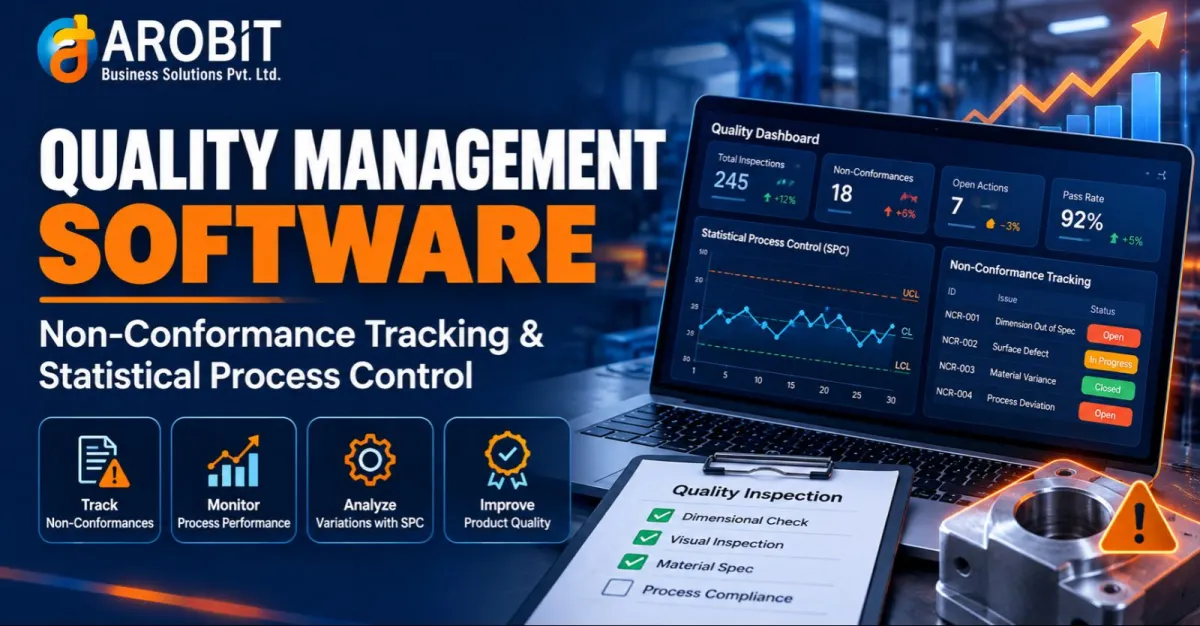
A defect caught on the production line costs a few minutes to fix. The same defect caught by a customer can cost a contract. That gap between early detection and late discovery is the whole argument for treating quality as a system rather than a final inspection. Quality Management Software exists to close that gap, catching problems while they are still cheap to fix.
This guide explains the two mechanisms that do most of the work. The first turns a spotted defect into a resolved, documented case instead of a sticky note. The other watches the process itself, spotting a drift toward failure before it produces a single bad part.
Why Paper Checklists and Spreadsheets Fail at Quality
A single inspector with a clipboard can keep one line honest. Scale to several lines, multiple shifts, and a web of suppliers, and paper records stop telling you anything useful in time to act. A defect logged on Monday might not be spotted in the data until the following week, long after the same fault has repeated across hundreds of units.
The problem is that quality data sits disconnected from the process that generates it. Custom ERP Software Development addresses this by capturing inspection, defect, and process data in the same system that runs production, so a problem surfaces against live output rather than in a spreadsheet nobody opens until month-end.
If you are deciding how quality should fit with the rest of your operations, our guide to types of ERP systems is a useful starting point. From there, you can judge whether quality belongs in a standalone tool or an integrated module.
The cost of poor quality runs an estimated 15% to 20% of sales revenue at many manufacturers. — American Society for Quality (ASQ), Principles of Quality Costs
That figure is a long-standing industry benchmark rather than a fresh survey, but the point behind it holds. Scrap, rework, and returns are expensive, and most of that cost is avoidable with earlier detection.
What Quality Management Software Actually Does
At its core, the system is the single record of whether what you make meets the standard you set. For a manufacturer, it brings together four things that paper and spreadsheets keep apart.
- Inspection results captured at the point of work, not transcribed later
- Every defect logged, assigned, and tracked to a documented resolution
- Process data charted continuously, so trends show up before failures do
- One audit-ready record linking a part back to its material, machine, and operator
Good quality control software does not just store pass-or-fail results. It connects a defect to the process that caused it and the corrective action that closed it, so the same failure is less likely to happen twice.
Non-Conformance Tracking: From Defect to Resolution
Logging and Containing a Non-Conformance
When a part fails to meet spec, the first job is containment: flag it, quarantine the affected stock, and stop it moving downstream. The software records what failed, where, and how much is affected, so nobody has to reconstruct the scope of a problem from memory days later.
Closing the Loop with Corrective Action
Containment is only half the job. The other half is corrective and preventive action, or CAPA, which traces the defect to its root cause and changes the process so it does not recur. A system that links each non-conformance to its corrective action turns a pile of defect reports into a record of problems that actually got solved.
Statistical Process Control: Catching Drift Before It Becomes Scrap
The technique measures a process while it runs and flags when it drifts outside its normal range of variation. Instead of inspecting finished parts and rejecting the bad ones, it watches the process itself. A machine trending toward failure is caught before it produces scrap at all.
The core of it is the control chart, and a few concepts carry most of the value.
| Concept | What it does |
|---|---|
| Control chart | Plots a process measurement over time against statistical limits |
| Control limits | Mark the normal range of variation for a stable process |
| Out-of-control signal | Flags a point or trend outside expected variation |
| Process capability (Cpk) | Measures how well output fits within specification limits |
| Drift trend | Catches a process moving toward failure before parts go out of spec |
The payoff is that problems are caught as a trend, not a rejection. A process sliding toward its limit shows up on the chart while there is still time to adjust, rather than after a batch is already scrap.
Where Quality Lives in Your ERP
Manufacturers that already run production on one platform usually want quality in the same place. An ERP Production Management Module fits that case, because inspection and non-conformance data then share a system with work orders, materials, and machine records rather than syncing across tools.
The payoff is traceability. When quality data sits with production data, a failed part can be traced to its batch, machine, and operator in one query. That is exactly what a recall or an audit demands, and what recognised standards such as ISO 9001 are built around.
Quality Across the Whole Manufacturing Operation
Quality is not a single checkpoint. It spans incoming material from suppliers, in-process checks on the line, and final inspection before shipping. Manufacturing ERP Software ties those checkpoints together, so a supplier's recurring defect and a line's scrap rate show up in the same picture instead of two disconnected reports. This is also where AI is starting to help, flagging anomalies in inspection images or process data that a manual review would miss.
Choosing the Right Quality Management System
Not every tool that markets itself to quality teams handles defects and process data at the depth a manufacturer needs. A few questions narrow the decision quickly.
- Does it track each non-conformance through to a documented corrective action, or just log it?
- Does it chart process data in real time, or only report on inspections after the fact?
- Does the quality control software connect to your production and material records, or stand alone?
- Can it produce an audit-ready trace from a finished part back to its inputs?
- Will a full quality management system scale across multiple lines and sites without a rebuild?
Generic tools can record inspection results well enough. They rarely link a defect to its root cause or chart a process as it runs. That is why manufacturers that outgrow them usually need a purpose-built system rather than another workaround.
Frequently Asked Questions
Q: What does Quality Management Software do that a spreadsheet does not?
A spreadsheet stores inspection results after the fact. The software captures them at the point of work, tracks every defect to a documented resolution, and charts process data continuously, so problems surface as trends you can act on rather than numbers you review too late.
Q: How does in-process monitoring differ from final inspection?
Final inspection checks parts after they are made and rejects the bad ones. In-process monitoring watches the process itself as it runs, so a machine drifting toward failure is caught before it produces scrap, not after.
Q: What is a non-conformance, and why track it formally?
A non-conformance is any part or process that fails to meet its specification. Tracking it formally means containing the affected stock, finding the root cause, and recording the corrective action, so the same failure is far less likely to repeat.
Ready to Build Quality Into Your Production Line?
Arobit Business Solutions structures enterprise ERP and manufacturing quality engagements with written delivery plans, phased rollouts, and dedicated support. That track record spans 13+ years across manufacturing, logistics, retail, and professional services industries.
Schedule a consultation to review your inspection and non-conformance workflows. Discuss Your Project Requirements with Arobit's team.



Comments
No comments yet. Be the first to share your thoughts!