




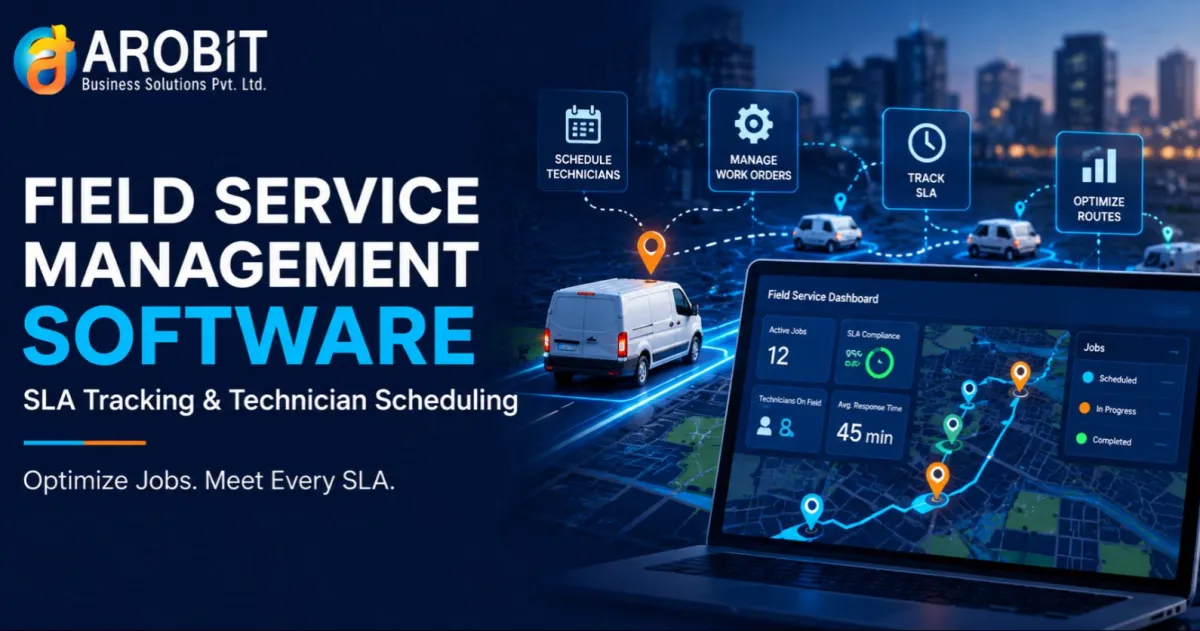
A technician who arrives late to a contracted two-hour response window does not just miss a number on a dashboard. For many service businesses, that miss has to be chased down manually across spreadsheets, phone calls, and a dispatcher's memory of who was free that morning. Field service management software closes that gap by tracking SLA commitments and technician schedules inside one system instead of several disconnected ones.
This guide explains the two mechanics that decide whether a field service operation runs on time or runs on guesswork. One is how service-level deadlines get enforced automatically. The other is how the right person ends up matched to the right job before a deadline slips.
Why Field Service Teams Outgrow Spreadsheets and Paper Job Sheets
A small operation with two or three technicians can run on a shared calendar and a phone tree. Add more technicians, more contracts, and more service tiers, and that same setup starts missing appointments. Someone has to manually check which SLA applies to which customer, who is nearest to the next job, and whether a technician is already running late somewhere else.
That manual coordination does not scale, and it breaks down exactly when volume is highest. Custom ERP Software Development solves this by building SLA rules and scheduling logic directly into one system. That system already holds the customer, contract, and inventory data a technician needs in the field.
If you are mapping out which ERP modules your business needs beyond service, our guide to types of ERP systems is a useful starting point. From there, you can narrow down to field service specifically.
What Field Service Management Software Actually Does
At its core, this kind of software centralizes the work order lifecycle. That means logging a request, assigning it to a technician, tracking it in the field, and closing it out with proof of completion. For a business with contracted response times, it adds two capabilities a generic scheduling tool was never built for.
- SLA rules tied to each customer contract, not a single company-wide default
- Technician scheduling based on location, skill, and current workload
- Automatic escalation when a job is at risk of breaching its deadline
- A complete history of every job, timestamped from request to sign-off
| Factor | Manual / Spreadsheet Scheduling | Software-Driven Scheduling |
|---|---|---|
| SLA deadline tracking | Manual, dispatcher-dependent | Automated, contract-specific |
| Technician assignment | First available or phone-based | Matched by location, skill, workload |
| Escalation on breach risk | Reactive, after customer complaint | Automatic alert before breach |
| Maintenance approach | Reactive, after failure | Preventive, scheduled from equipment data |
| Audit trail | Scattered across notes and calls | Centralized, timestamped record |
None of this works well bolted onto a generic calendar app. SLA and scheduling logic has to be built into how a job moves from intake to completion. It cannot simply be layered on top of a tool that was never designed to track a deadline.
SLA Tracking: Turning Contract Terms Into Daily Accountability
Response and Resolution Time Targets
Every service contract usually sets two clocks: how fast you have to respond to a request, and how fast you have to resolve it. On paper, that sounds simple. In practice, different customers often have different targets, and a dispatcher trying to track all of them manually will eventually assign a job to the wrong priority queue.
Escalation Paths and Breach Alerts
Automated deadline tracking removes that guesswork by attaching the correct clock to each job automatically and flagging anything approaching its limit before it breaches. This is where an ERP Service Operation Management Module earns its place. Escalation rules need to reach a supervisor the moment a job is at risk, not after the customer has already called to complain.
Built this way, service operation management stops being a reactive fire drill. It becomes a scheduled, rule-based process that runs the same way whether the team is handling five jobs a day or five hundred.
Field Technician Scheduling: Matching the Right Technician to the Right Job
Consider a regional HVAC and refrigeration service company dispatching technicians across several districts. Before adopting automated scheduling, a dispatcher assigned jobs mostly by who answered the phone first, regardless of who was actually closest or best qualified for that repair.
After moving to software-driven scheduling, each job gets matched against technician location, certification, and current workload before it is assigned. Response times dropped and the same technicians now handle more of the right jobs instead of driving across town for calls someone closer could have taken.
Preventive Maintenance Scheduling: Where AI Fits In
Preventive maintenance scheduling shifts a technician's visit from "after something breaks" to "before it is likely to." Instead of waiting for a breakdown call, the system schedules a check-up based on equipment age, usage, or sensor data. That way, a smaller issue gets caught before it becomes an emergency dispatch.
"Mature predictive-maintenance programs typically reduce machine downtime by 30 to 50 percent and increase machine life by 20 to 40 percent." — McKinsey & Company, 2017
That figure is nearly a decade old, but the underlying mechanic has not changed: catching a failure early is still cheaper than an emergency callout. An AI-Enhanced ERP setup adds to this by flagging equipment that is statistically likely to fail soon. That way, a preventive visit gets scheduled before a customer ever has to report a problem.
Choosing the Right System for Your Field Team
Not every scheduling tool that claims to handle SLAs actually enforces them the way a contracted service business needs. A few questions narrow the decision quickly.
- Does it track SLA deadlines per contract, or apply one generic response time to everyone?
- Does it schedule technicians by location and skill, or just by who is next on a list?
- Does it escalate automatically before a breach, or only report the miss after it happens?
- Can it support preventive visits based on equipment data, not just a fixed calendar interval?
- Does it integrate with your existing ERP, inventory, and billing systems?
Generic scheduling apps can assign a technician to a time slot well enough. They rarely enforce contract-specific SLAs or support preventive scheduling, which is why field service teams that outgrow them usually need a purpose-built system rather than a workaround.
Frequently Asked Questions
Q: How are SLA deadlines enforced without someone manually watching the clock?
The system attaches each job's response and resolution deadlines automatically based on the customer's contract, then flags anything approaching its limit before it breaches. That removes the need for a dispatcher to manually track every clock across every job.
Q: How does the system decide which technician gets assigned to a job?
It matches each incoming job to a technician based on location, required skill or certification, and current workload, instead of simple first-come assignment. This keeps response times down and reduces unnecessary travel between jobs.
Q: How is field service management software different from a helpdesk or ITSM tool?
A helpdesk or ITSM tool built around a standard like ISO/IEC 20000 tracks internal IT tickets and requests. This kind of software is built around technicians physically traveling to a site. That means it adds location-based scheduling, mobile job updates, and parts or inventory tracking that an IT ticketing system does not need.
Ready to Simplify Field Service Operations?
Arobit Business Solutions structures enterprise ERP and field service engagements with written delivery plans, phased rollouts, and dedicated support. That track record spans 13+ years of experience across manufacturing, logistics, and professional services industries.
Request an ERP consultation to review your current SLA and scheduling workflows. Discuss your project with Arobit's team.





Comments
No comments yet. Be the first to share your thoughts!