





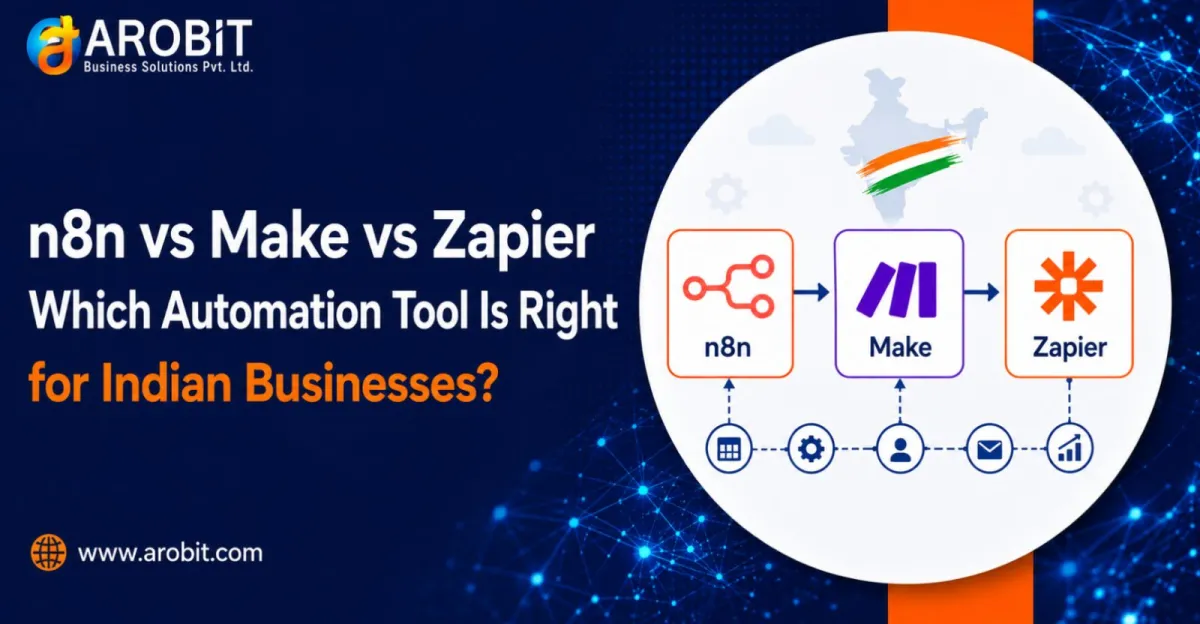
Most Indian businesses pick an automation tool the wrong way. They start with the brand name they have heard of, sign up, and discover the real cost only when the bill arrives.
The n8n vs Make vs Zapier decision is not about which tool is best. All three work. It is about which pricing model matches how your business runs, and which one your team can actually operate. Pick wrong, and a tool that looked cheap becomes a monthly surprise.
This guide breaks down n8n vs Make vs Zapier on pricing, ease of use, and fit for Indian businesses. You will choose based on your workflows, not a landing page.
The One Thing That Decides Your Bill
Before comparing plans in this n8n vs Make vs Zapier breakdown, understand the single difference that matters most. Each tool counts usage differently, and that counting method decides what you pay.
Zapier charges per task. Every action step in a workflow is one task. A five-step automation that runs once burns five tasks.
Make charges per operation. Similar to a task, but each module that processes data counts. Triggers and filters count too, so a workflow that looks like three steps can consume eight to fifteen operations per run.
n8n charges per execution. One whole workflow run is one execution, no matter how many steps it contains. That five-step workflow is a single execution.
This is why the n8n vs Make vs Zapier comparison cannot be answered by sticker price alone. A workflow with many steps costs very differently across the three. The more steps your automations have, the more the execution model saves.
Zapier: The Easiest to Start, the Priciest to Scale
Of the three tools in the n8n vs Make vs Zapier lineup, Zapier is the most widely known, and for good reason. It connects to the largest library of apps, and a non-technical person can build a working automation in an afternoon.
Here is how each tool stacks up in the n8n vs Make vs Zapier comparison.
Pricing. Zapier's free plan allows a small number of tasks per month and only simple two-step automations. Paid plans begin at roughly $20 per month (billed annually) for a modest task allowance, and rise quickly as task volume grows. A business running multi-step workflows at real volume can reach several hundred dollars a month. Prices change often, so confirm the current rate before committing.
Best for. Small teams and non-technical founders who value setup speed over cost, and who run simple, low-volume automations.
The catch. Each step is a billable task. So the automations that deliver the most value, the long multi-step ones, are exactly the ones that drain your allowance fastest. For an Indian SMB watching costs in rupees, Zapier's task math can become uncomfortable as you grow.
Make: The Visual Middle Ground
In the n8n vs Make vs Zapier comparison, Make sits in the middle. It offers a visual, drag-and-drop canvas that is more flexible than Zapier's linear builder, at a lower cost per unit of work.
Pricing. Make's paid plans start at around $10 per month, billed annually, for a generous operation allowance. That makes it noticeably lower-cost than Zapier at similar volumes. Additional operation packs can be bought if you exceed your plan.
Best for. Businesses that want more control than Zapier allows, without hiring a developer. The visual canvas suits people who think in flowcharts.
The catch. Make counts triggers, filters, and each module as separate operations. A scenario that looks simple on the canvas can consume far more operations per run than expected. Audit your real usage before assuming Make will be cheaper.
n8n: The Lowest-Cost at Scale, If You Have the Skill
n8n is the most technical of the n8n vs Make vs Zapier trio, built for teams with development capacity. It charges per whole workflow execution, which makes it far lower-cost for multi-step automations. It can also be self-hosted.
Pricing. n8n Cloud starts at roughly $20 per month for a block of executions, with unlimited workflows and users on every plan. The bigger story is self-hosting. The open Community Edition is free software with unlimited executions. You pay only for a server, often as little as a few dollars a month on a small cloud instance.
Best for. Businesses with technical staff, or an AI workflow automation partner, who want the lowest running cost and full control over their data. For high-volume, multi-step automation, nothing here is cheaper.
The catch. Self-hosting means someone must set up, update, secure, and maintain the server. Without that skill in-house, the "free" version carries a hidden cost in engineering time. This is where many Indian businesses benefit from AI automation consulting rather than going it alone.
A Practical Example: The Lead-Capture Workflow
Consider a common scenario for an Indian business capturing leads from a website form.
The workflow has four steps. Capture the lead, add it to a CRM, send a WhatsApp alert to sales, and log it in a spreadsheet. Say it runs for one hundred leads a day.
On Zapier, that is four tasks per lead, twelve thousand tasks a month. That volume pushes the business into a higher-priced tier costing well over $70 a month. On Make, the same flow counts every module and trigger, so the operation count and cost land in a similar or slightly lower range. On n8n, the whole four-step flow is one execution per lead. That is roughly three thousand executions a month, which fits a low-cost cloud tier or a self-hosted server costing a few dollars.
Same workflow. Very different bills. This is the heart of the n8n vs Make vs Zapier question. The tool that wins depends entirely on step count and volume, not on which brand is most famous.
Which Should an Indian Business Choose?
The n8n vs Make vs Zapier choice has no universal answer, but it does follow a clear logic.
Choose Zapier if you are non-technical, need the widest app support, and run simple, low-volume automations. You pay a premium for ease.
Choose Make if you want visual flexibility and lower costs than Zapier, and you are willing to learn its operation model. It is a strong middle option for growing SMBs.
Choose n8n if you have technical capacity or a partner, run complex multi-step workflows, or care about data control and cost at scale. It is the strongest base for serious business process automation AI work. Self-hosted n8n is the lowest-cost serious option available.
For many Indian businesses, the right approach is not a single tool but a considered one. Good business process automation AI decisions start with mapping your actual workflows. You then match them to the pricing model that fits, rather than defaulting to the most advertised name.
Getting the Decision Right
The n8n vs Make vs Zapier decision comes down to arithmetic. Start by listing your planned automations and counting the steps in each. Multiply by your expected monthly runs. That number, run against each tool's pricing model, tells you the real cost far better than any plan comparison table.
If your workflows are few and simple, a packaged tool will serve you well. If they are many, complex, or central to your operations, structured AI workflow automation on a platform like n8n usually pays back. When the choice is unclear, a short engagement with an AI automation consulting partner can map your needs and prevent an expensive wrong turn.
What to Do Next
Do not start with the tool. Start with your workflows. Count the steps, estimate the volume, and let the numbers point to the pricing model that fits.
Then decide who will build and maintain your automations before you subscribe. That capacity, in-house or through a partner, matters more than the logo on the dashboard.
Speak with our team to map your workflows and pick the platform that fits. Get in touch with Arobit










Comments
No comments yet. Be the first to share your thoughts!