





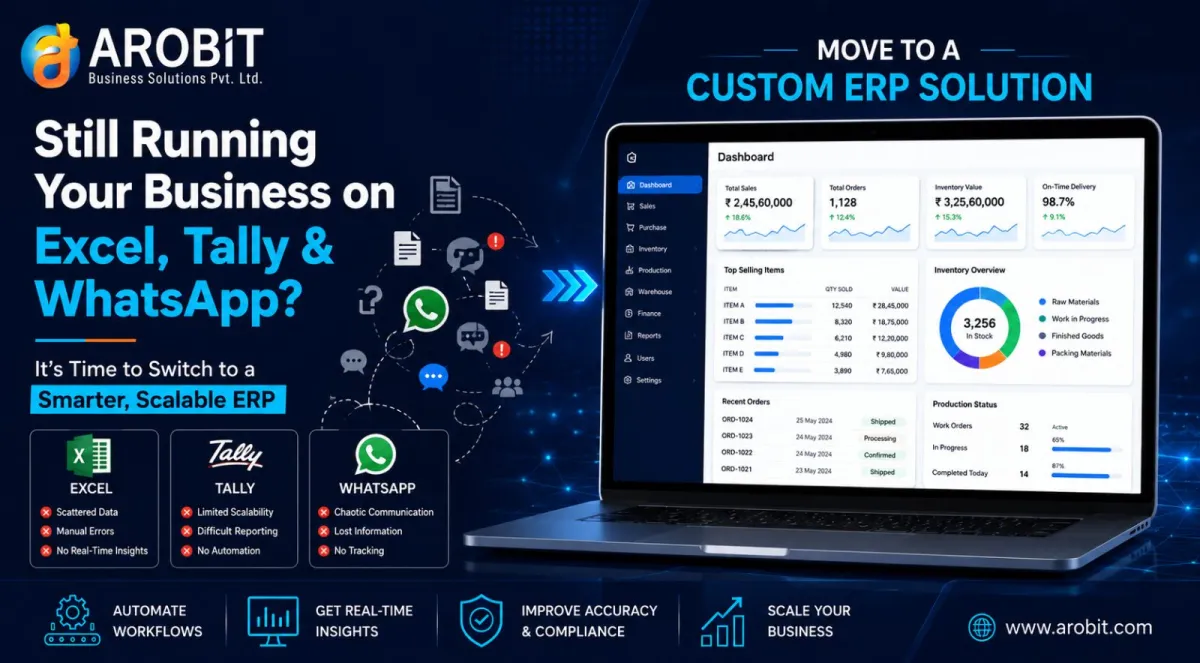
Most growing businesses don't set out to build a patchwork of Excel sheets, Tally exports, and WhatsApp updates — it just happens. A sales team logs orders in Excel, accounts run separately in Tally, and stock updates travel through WhatsApp between the warehouse and the office. It works, until it doesn't. As order volume, staff, and locations increase, this manual setup starts costing time and accuracy. This is usually the point where a custom ERP for Excel and Tally replacement stops being a nice-to-do and becomes the practical next step for scaling.
How Excel, Tally, and WhatsApp workflows start breaking down
Each tool does its own job well. The trouble starts when they need to work together. Stock counts in Excel don't match Tally invoices, and orders confirmed over WhatsApp get missed when nobody updates the master sheet in time.
None of them were built to talk to each other, and that gap is what causes ERP for manual business processes to break down as a company scales. A business still running ERP for Excel-based operations informally tends to feel this first in stock accuracy and order turnaround time. Left unresolved, this is usually what pushes leadership to look seriously at a custom ERP for Excel and Tally replacement rather than another workaround.
Signs your business has outgrown spreadsheets and chat groups
A few patterns tend to show up before businesses commit to a custom ERP for Excel and Tally replacement:
- Stock figures in Excel rarely match what's actually in the warehouse
- Owners or managers reconcile Tally entries manually every week
- Order status lives in WhatsApp chats instead of a shared system
- Reports take days to prepare because data sits in different files
Together, these signal that the business has moved past what spreadsheets and messaging apps were designed to handle.
A nationwide survey of over 2,800 Indian MSMEs by the Research and Information System for Developing Countries (RIS), supported by the Mastercard Center for Inclusive Growth, found that only around 12% currently use ERP software. Digitally engaged businesses in the same study reported 35–40% higher labour productivity than those still relying on manual, disconnected tools.
This is often when leadership starts evaluating systems built for ERP for growing companies in India. The pattern shows up consistently once headcount passes a small core team. Arobit has seen this play out directly — one FMCG and e-commerce client ran finance, inventory, and web sales as separate manual systems for years. Once those were unified into one ERP, the business stopped losing hours each week to mismatched records between departments.
What a custom ERP actually replaces
A well-scoped custom ERP for Excel and Tally replacement doesn't try to replace everything overnight. It typically starts with the areas causing the most friction:
- Excel to ERP migration: order tracking, inventory counts, and production logs move into structured modules with a single source of truth
- Tally ERP integration: accounting stays connected to real-time inventory and sales data instead of running as a separate island
- WhatsApp order updates: replaced with a shared dashboard so warehouse, sales, and accounts see the same status at once
For many companies, this is the shift away from scattered spreadsheets toward one connected system. A stock count, an invoice, and an order status all come from the same database, instead of three disconnected tools.
How the migration usually works
Businesses considering ERP data migration from Excel often assume it means shutting down operations for weeks. In practice, a phased rollout is more common:
- Map current workflows across Excel, Tally, and WhatsApp to understand what's actually being tracked
- Clean and structure existing data, then complete Tally ERP integration and core modules first
- Run the ERP alongside existing tools briefly, then retire the spreadsheets once the team is confident
This is where ERP for inventory billing purchase functions typically go live first, since these are the most error-prone manual processes. A custom ERP implementation India team also tends to move faster locally, since support happens in the same time zone. Handled this way, ERP data migration from Excel rarely disrupts daily operations. A full custom ERP implementation India rollout often completes within a few months.
Why "custom" matters more than "off-the-shelf"
Generic ERP software forces a business to adapt its processes to fit the software. This is especially true for a business moving away from ERP for Excel-based operations, where processes were shaped by spreadsheet limits rather than actual business logic. For a manufacturer, distributor, or growing SME with its own approval chains, a generic platform is rarely a good trade. This is where custom erp software earns its place: it's built around how the business already works, not the other way around. This is exactly the gap a custom ERP for Excel and Tally replacement is designed to close.
Working with an experienced erp software development company also means the system can grow. New modules, locations, or integrations can be added as the business does, instead of hitting a wall a generic platform wasn't designed to cross.
Statista projects India's enterprise software market to grow more than 12% annually through 2029 — a sign that more growing businesses are moving in this direction, not fewer.
Is a custom ERP for growing business right for you now
Not every business needs to make this move immediately. But it's worth a serious look when:
- Manual reconciliation is taking up a full day (or more) each week
- Order errors are becoming a customer-facing problem, not just an internal annoyance
- The business is opening a second location or hiring beyond a small core team
A custom ERP for growing business doesn't need every module on day one. It needs the few that solve today's biggest headaches first. A business process automation ERP won't fix a broken process overnight, but it removes the manual steps where most errors and delays happen. For inventory-heavy operations, a business process automation ERP that starts with ERP for inventory billing purchase functions tends to show results fastest. Growing companies that consider custom erp software at this stage, rather than waiting for a crisis, tend to have an easier rollout. It's a pattern seen often among ERP for growing companies in India that are past their first few years.
Frequently asked questions
Can a custom ERP replace Excel, Tally, and WhatsApp all at once? Most teams move in phases when adopting a custom ERP for Excel and Tally replacement. Inventory, billing, and purchase are common starting points, with Tally and WhatsApp workflows folded in once the core data is stable.
How long does Excel to ERP migration usually take for a growing business? It depends on the number of processes and how much historical data needs to move. A phased rollout typically takes a few weeks to a few months — not a single cutover weekend.
Is a custom ERP for Excel and Tally replacement worth it for a small or mid-sized business? If manual reconciliation and scattered WhatsApp updates are already costing hours each week, the answer is usually yes. The effort tends to pay back quickly once teams stop duplicating work across three tools.
Bringing it together
Excel, Tally, and WhatsApp got many growing businesses to where they are today — but they weren't built to run a scaling operation together. When manual reconciliation, order errors, and scattered updates start slowing the team down, that's a clear sign. ERP for manual business processes needs to give way to something more structured.
Arobit, an erp software development company working with growing businesses across India, builds ERP systems around existing workflows instead of forcing a generic template onto them. If Excel, Tally, and WhatsApp are starting to feel like more work than they save, it's worth a closer look. Exploring what a custom ERP for Excel and Tally replacement could look like for your operations is a reasonable next step.
Request an ERP Consultation with Arobit to evaluate your current workflows and map out a phased migration plan.




Comments
No comments yet. Be the first to share your thoughts!