





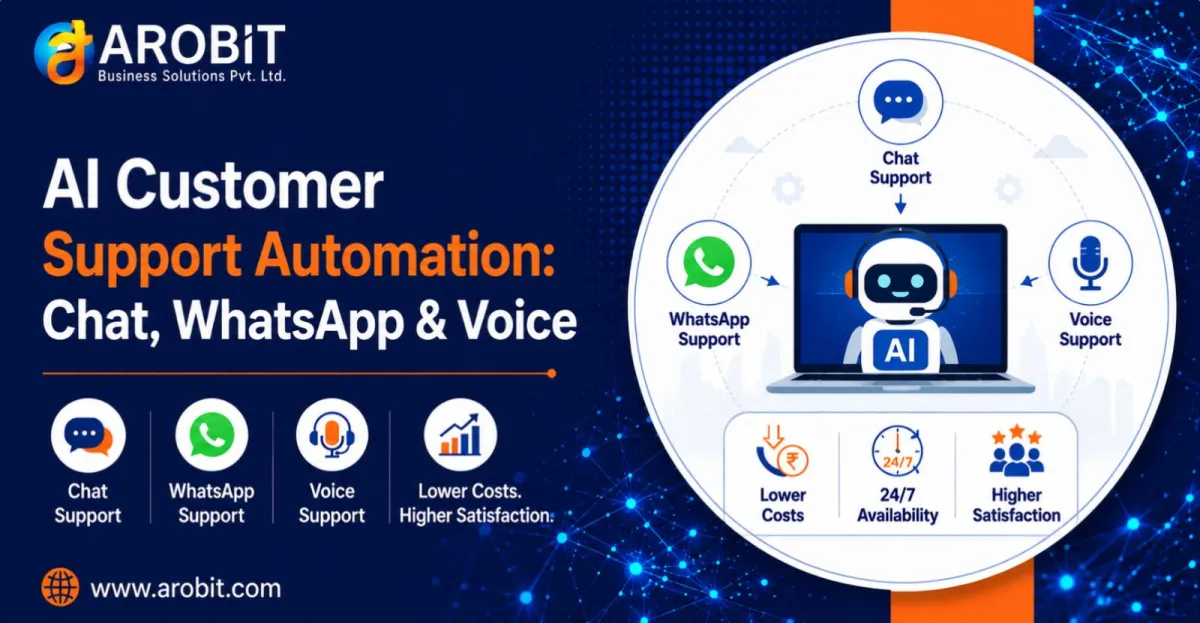
Every growing business hits the same wall. Support tickets climb, the team drowns, and the obvious answer, hiring more agents, is slow and expensive. Each new hire takes weeks to recruit and train, and the volume keeps rising anyway.
There is another path. AI customer support automation lets a small team handle the query load of a much larger one. It takes the repetitive questions off their plate entirely. The goal is not to replace your people. It is to stop them answering the same question for the thousandth time, so they can handle the cases that actually need a human.
This guide covers how AI customer support automation works across three channels, what it realistically saves, and how to start without a large budget.
What the Numbers Actually Say
Support automation is often oversold, so it helps to anchor on credible figures rather than marketing claims.
The most-cited benchmark comes from IBM. It was measured across hundreds of real deployments:
AI chatbots reduced customer support operating costs by around 30% on average, with the best-run tier-one deployments reaching over 50%. — IBM, 2025 Cost of a Customer Service Interaction research
McKinsey's research points the same way on the mechanism behind those savings:
AI-enabled self-service can cut support incidents by 40–50%, with handling costs falling by roughly a third. — McKinsey, customer care research
The saving from AI customer support automation is real, but it is not automatic. The deployments that hit these numbers are the ones that automate the right queries, measure results weekly, and hand off cleanly to humans. Bolt AI onto a broken process and you get faster chaos, not lower cost. That distinction matters more than any headline figure.
The Repetitive Work Is the Opportunity
AI customer support automation targets one thing above all: repetition. Look at your support inbox and a pattern appears. A large share of tickets are the same handful of questions asked over and over. Where is my order. What is your return policy. How do I reset my password. When will this be back in stock.
These are perfect for AI customer support automation, because the answer never changes. This is the core of what AI customer support automation does well. A system can handle them instantly, at any hour, in any volume, without a person involved. That frees your team for the complex, judgment-heavy cases that genuinely need them.
The economics are stark at the per-query level. A routine question answered by a human agent costs several dollars in staff time. The same question answered by automation costs a fraction of that. Multiply across thousands of monthly tickets and the gap becomes the whole business case.
Channel 1: Website and App Chatbots
The chatbot is the front line of AI customer support automation. Placed on your website or inside your app, an AI customer support chatbot answers questions the moment a visitor asks, day or night.
A modern chatbot does more than match keywords. It reads your knowledge base, understands the actual question, and gives a specific answer drawn from your policies and product data. For online stores, an AI chatbot for ecommerce can check order status, explain returns, and recommend products, turning a support tool into a sales assistant.
The key is honest scope. A good chatbot handles what it knows well and hands the rest to a person. It does not pretend to answer everything, which is what erodes customer trust.
Channel 2: WhatsApp Bots
In India especially, support does not live on your website. It lives on WhatsApp, where customers already spend their day.
A WhatsApp bot brings AI customer support automation to the channel people actually use. Order updates, delivery tracking, and routine queries get answered in the same app where customers message family and friends. Response rates are far higher than email, because a WhatsApp message is seen almost every time.
An AI customer support chatbot on WhatsApp gives businesses fielding hundreds of "where is my order" messages a day their fastest relief. The bot handles the flood of routine queries, and a human steps in only when the conversation needs judgment. WiseBot, Arobit's own WhatsApp platform, is built for exactly this kind of support automation, with live human handover when the bot reaches its limit.
Channel 3: Voice Agents
Not every customer types. Many still call, and the phone line is where support staff spend the most time per query.
Voice is the third channel for AI customer support automation. An AI voice agent answers calls, understands what the caller says, and responds in a natural voice. It can confirm an order, answer a routine question, or book an appointment, in the caller's own language. For Indian businesses, modern voice agents now handle Hindi, regional languages, and Hinglish code-switching well enough for real customer calls.
Voice automation is the newest of the three channels, and it shines for high-volume, repetitive calling: appointment reminders, delivery confirmations, and first-line query handling. As with the other channels, the aim is to absorb the routine load, not to remove the human entirely.
The 24/7 Advantage
A human team works shifts. Customers do not. A large share of queries arrive in the evening and on weekends, exactly when your support desk is closed.
This is where AI customer support automation quietly earns its keep. A 24/7 customer support chatbot answers the after-hours questions that would otherwise wait until morning, by which time an impatient customer may have already left. A 24/7 customer support chatbot captures and resolves demand that a shift-based team structurally misses, without paying for a night shift.
The round-the-clock coverage is not a luxury feature. For many businesses it is where the largest slice of automated resolutions actually happens.
A Practical Example: The Online Store's Support Desk
Consider a common scenario for a growing Indian e-commerce brand.
Its two-person support team was overwhelmed. Around 2,000 queries a month came in, most of them order-status and return questions. The team worked late, response times slipped, and the founder faced a choice: hire two more agents or find another way.
The brand deployed a chatbot on its website and a WhatsApp bot, both connected to its order system. The bots resolved roughly 40% of incoming queries instantly, without a human. For an online store, an AI chatbot for ecommerce answered order-status questions in seconds, at any hour.
The support team did not grow. Its two people stopped answering repetitive questions and focused on complaints and complex cases, the work that needed them. Response times improved, and the planned hire was no longer necessary. The saving was not just salary avoided. It was a better experience for customers who got instant answers.
Where Businesses Get It Wrong
Three mistakes undermine AI customer support automation.
Automating a broken knowledge base. A bot can only answer from what it knows. If your policies and product information are messy or out of date, fix that before you automate, or the bot will confidently give wrong answers.
Over-automating. Trying to make the bot handle everything, including complex complaints, frustrates customers and damages trust. Automate the routine, escalate the rest.
No human handover. The single biggest failure is a bot with no escape hatch. Every deployment needs a clean path to a human for the queries the AI cannot resolve.
How to Get Started
Roll out AI customer support automation in stages. Start with your single most common query type. For most businesses it is order status or a top handful of FAQs. Automate that one thing first, prove it resolves cleanly, then expand the scope.
Pick the channel your customers actually use. In India that is often WhatsApp before website chat. Match the tool to where the demand already is.
Then measure containment weekly: what share of queries the bot resolves without a human, and where it fails. That number, not a vendor's promise, tells you whether the automation is working. If setting this up feels complex, a short engagement with a partner can map your queries and build the connections faster than trial and error.
What to Do Next
AI customer support automation starts with one measurement. Count your top five support queries and the hours your team spends on them each week. That figure is the cost automation can take off the table, and the starting point for any sensible plan.
Then decide who owns the knowledge base and the human handover before you deploy anything. Those two decisions separate the automation that saves money from the kind that quietly annoys your customers.
Speak with our team to automate your support across chat, WhatsApp, and voice without growing your team. Get in touch with Arobit








Comments
No comments yet. Be the first to share your thoughts!